
Creating a new flow is one of the most common tasks for managers in WISEflow, so we have refreshed the page to make the experience clearer and easier to use. The redesign improves the layout, structure, and consistency of the page, while leaving the underlying logic unchanged.
What you will see
-
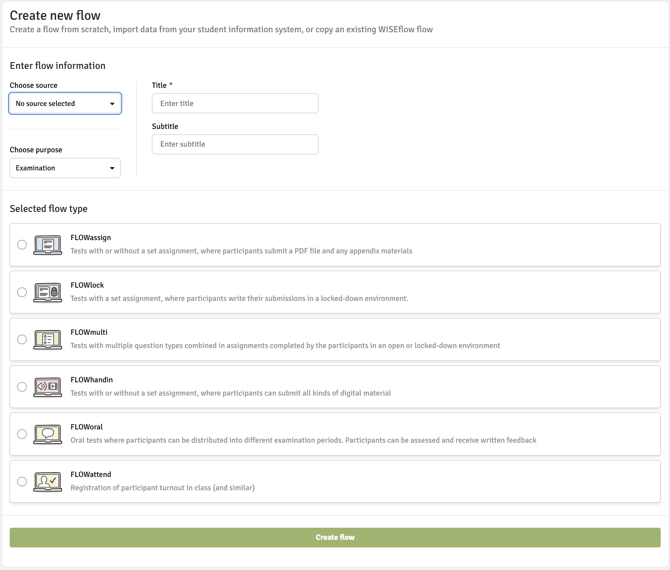
Two-column layout
The page is now divided into two columns. The left column contains flow information and the purpose of the flow; the right column contains source data. This makes it easier to see at a glance what information belongs where. -
Purpose section moved higher up the page
The ‘Purpose’ section now appears above the flow type selection. This matches the natural sequence of setup — you define what the flow is for before specifying the type — so the page now guides you through the process in a more intuitive order. -
Cleaner section separation
The heavy segment blocks that previously separated each section have been replaced with lightweight dividers. This removes a lot of the extra whitespace that made the page feel longer than necessary. -
Full-width Create flow button
The ‘Create flow’ button now spans the full width of the page, making it easier to locate and click once you have completed the form. -
Improved Copy flow settings area
If you use the ‘Copy flow settings’ feature, you will notice several improvements in that section: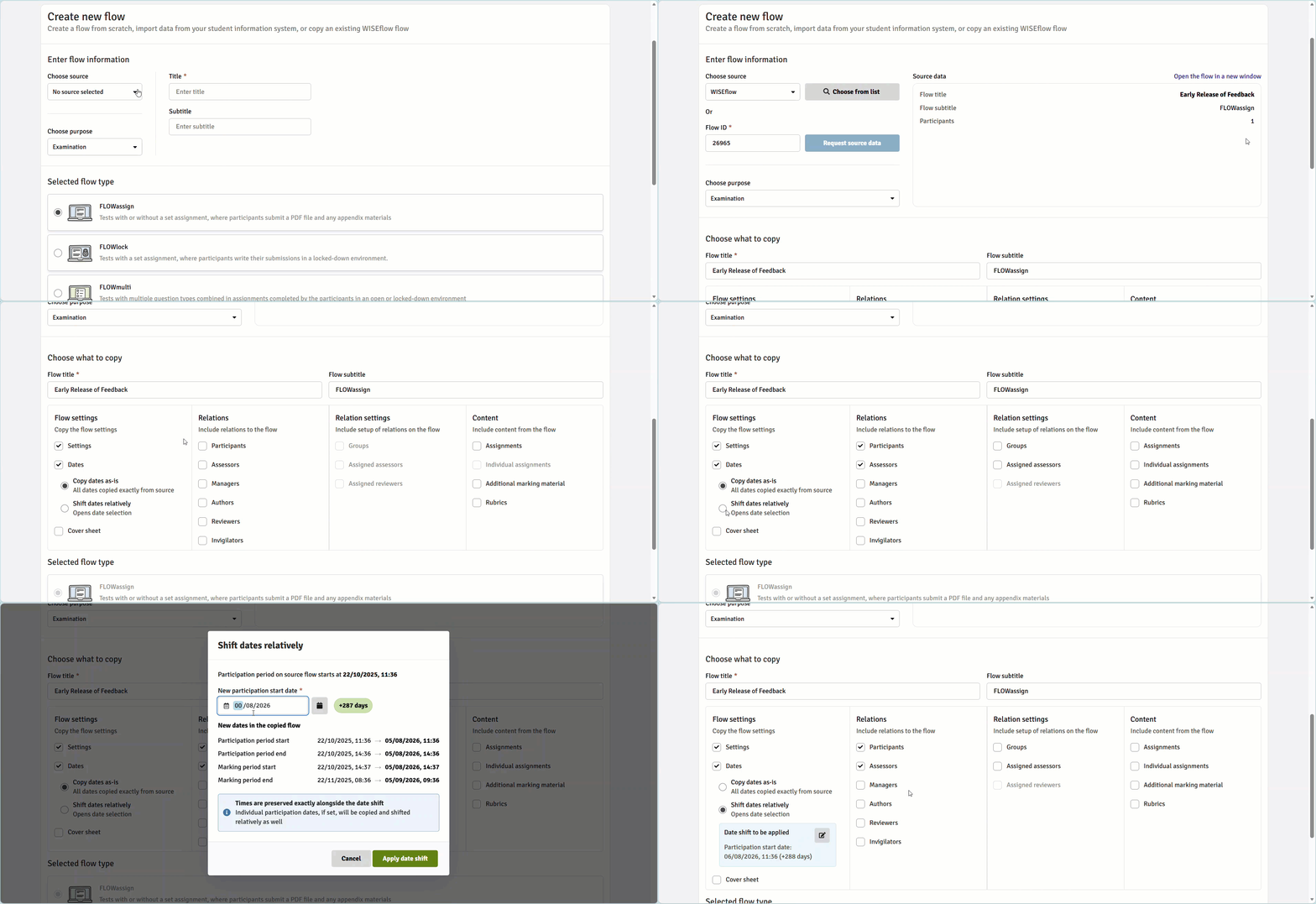
-
Consistent input field widths
Input field widths are now handled consistently in the interface rather than being driven by backend configuration. This means the page will look the same across all institutions.
If your institution has internal guides, training materials, or help documentation that include screenshots of the ‘Create new flow’ page, these will need to be updated to reflect the new layout. The WISEflow Service Centre documentation will also be updated ahead of the release.
If you have questions about this update, please reach out to your UNIwise contact or the Support Team.