This article has been updated to reflect the enhancements that will be available after Friday 12 June as part of the June 2026 Release.
Flows are automatically archived one month after a flow has concluded i.e. the marking period has ended. This means that the flow is saved and archived for everyone involved. Archived flows can be accessed for viewing, where most editing access has been revoked.
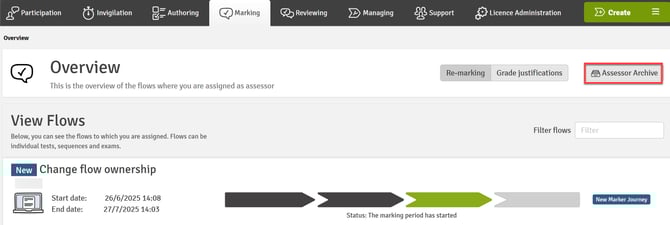
Click on the Assessor Archive button to access the list of flows that have been archived but can still be viewed.
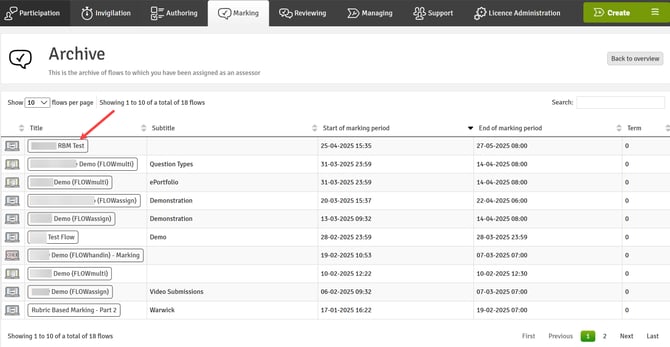
You can then access any flow by clicking on the flow title and view all aspects of the flow. As the flow has been archived, the marking period has ended and no further amendments can be made to the flow.
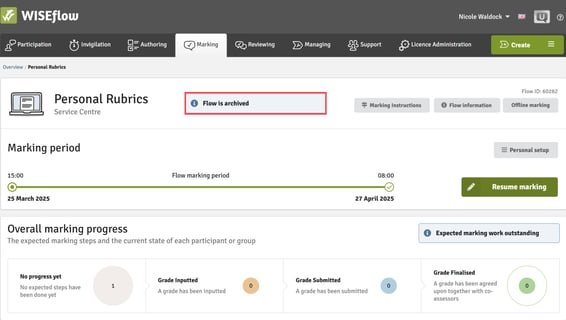
Once in the flow, it will be identified as being archived.
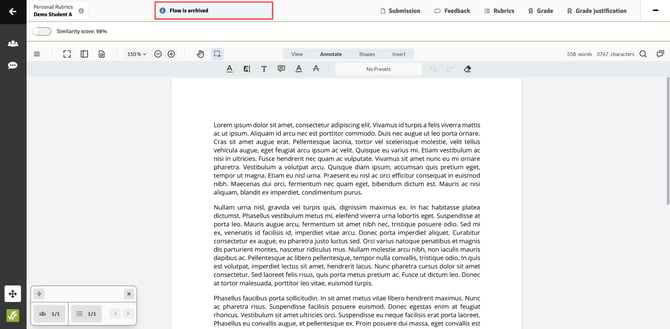
And in the marking tool, archived flows are also identifiable.