In this article:
- What is Originality?
- How does Originality compare student submissions?
- User roles in Originality
- Originality features
What is Originality?
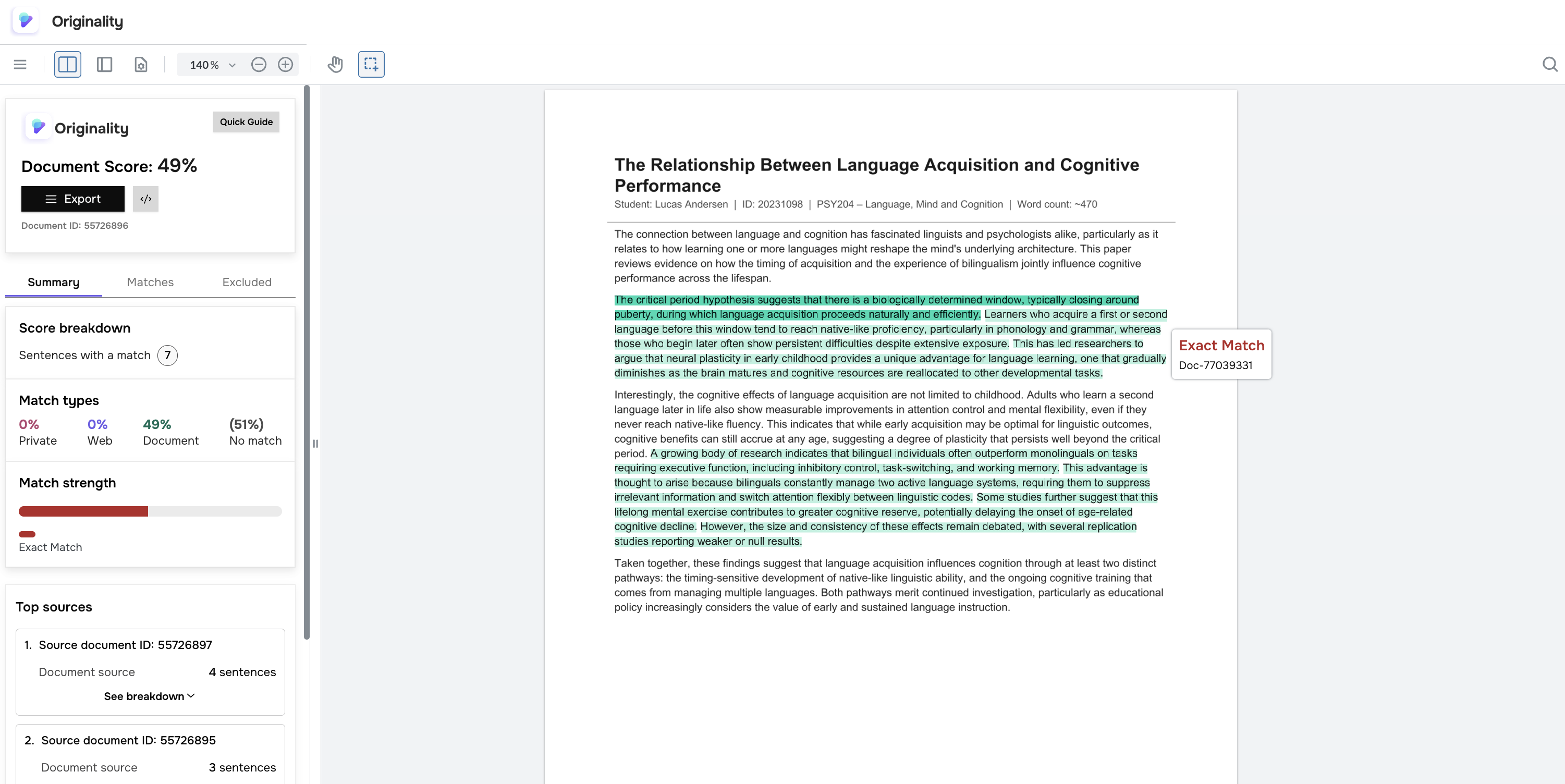
Originality is a similarity service platform developed by UNIwise. It receives exam papers from an integrated assessment tool, analyses them against a database of other documents and indexed web content, and returns similarity reports that highlight sentences with potential overlap.
Originality is intended as a decision-support tool. It does not determine whether plagiarism has occurred – that judgement remains with the assessor, who reviews the highlighted matches in context.
Originality is designed as a standalone product. It offers a native platform for administrators and assessors, an API for custom integrations, and connectors for common learning management systems (LMS).
How does Originality compare student submissions?
Each submission is compared against three source categories:
- Indexed documents from your own Originality license – previously submitted work from your institution that has been added to the comparison database.
- Documents shared by other institutions – based on sharing group settings (read Sharing Groups in Originality).
- Web content – text indexed from open web sources.
User roles in Originality
Originality supports two primary roles:
- Administrators manage the Originality setup, including users, web sources, and license-level settings.
- Assessors view similarity reports for submissions assigned to them.
Originality features
The platform offers a range of features for administrators and assessors to work with:
- Documents. This page allows Originality users to upload a document to the platform that can be added to the database, used to generate a similarity report, or both.
- Web sources. On this page, users can suggest web pages to be added to the Originality web source database.
- All documents. This page lets admins query documents associated with your license. You can find documents by their Originality ID, context, specific date range, similarity score range, and other parameters.
- User management. This page allows admins to manage Originality users and their roles on your license.
- Statistics. This page provides admins with insights into documents submitted under your license. All statistics are based on the submission date to Originality.
- License settings. Here, administrators can get an overview of the license, including the name, ID, creation date, and the number of users in the different roles. The administrators can also access information about retention periods, update the minimum sentence length, get information about sharing groups, and configure API client credentials.
Follow the roadmap along with the upcoming features on this page: https://uniwise-sycamore.web.app/originality/releases